You spend $1,999 on Apple’s first foldable, open it a few times, feel something catch near the hinge, and then hear a crack. That’s the story some iPhone Duo owners have told since launch day. The internet has named it “Crackgate,” and Apple has now confirmed that the problem is real.
The iPhone Duo went on sale on October 23, 2026, and the first reports appeared the same day. Apple responded three days later, but it hasn’t explained the cause or said how many phones are affected.
If your screen has already cracked, the good news is that you shouldn’t have to pay for this particular defect. Below, we cover what’s confirmed, what’s still theory, and exactly what to do next.
Short answer: If your iPhone Duo’s inner screen cracks along the hinge without a drop or other damage, contact AppleCare for a replacement. You don’t need AppleCare+, and carrier customers should still go to Apple directly. Expect a possible wait, because stock is very tight.
What Is Happening to iPhone Duo Screens?
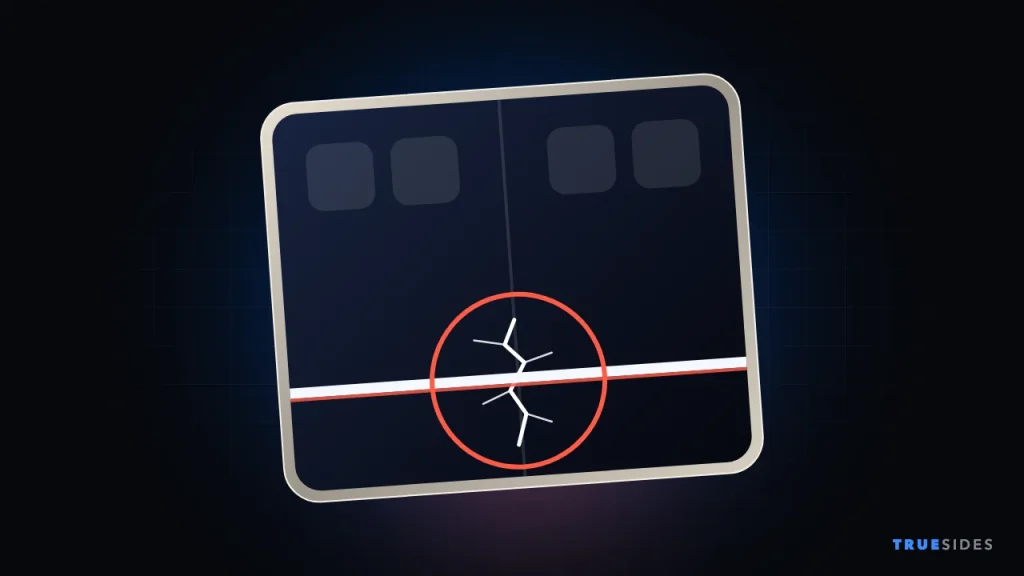
Owners on Reddit and the MacRumors forums have shared photos of inner displays that broke along the hinge. MacRumors reports that almost all of the faults sit right along the hinge, and most leave a line of bright pixels across one side of the screen.
Signs owners have described
- A stuck or catching feeling around the hinge as you open the phone.
- A popping or cracking noise just before the damage appears.
- A crack along the center of the fold, often on the lower half of the inner display.
- Bright white lines or a band of stuck pixels across the screen.
“As I continued opening it, I heard an audible crack, and the screen broke right along the hinge. There were no marks or damage on the inner screen’s surface or the external hinge to suggest anything had been caught or damaged.”
An iPhone Duo owner in Australia, via MacRumors
That owner said the phone was about six hours old and had been opened fewer than 20 times. Others have reported cracks during initial setup or within a day or so of buying the phone.
What Apple Has Said
Apple’s statement, shared with MacRumors on October 26, is brief:
“We are aware of an issue impacting the inner display on a small number of iPhone Duo units. If users experience issues with their iPhone Duo display, they should contact AppleCare for a replacement.”
Apple, via MacRumors
Here’s where that leaves things:
|
Question |
What we know |
|
Is it real? |
Yes. Apple confirms it, though some images online are AI-generated fakes. |
|
How many phones? |
Unknown. Apple says “a small number” and hasn’t shared a count. |
|
What causes it? |
Unconfirmed. Apple hasn’t said. |
|
Is there a recall? |
We found no recall or repair program. Apple is handling it through replacements. |
|
Will older phones start cracking later? |
According to Apple, it tends to appear soon after purchase, not develop over time. |
Apple CEO John Ternus told Reuters that only a very small share of units have come back over display problems, according to iThinkDiff. Without a number, though, “very small” is hard to judge.
What Is Causing It?
Nobody outside Apple knows for sure, but the theories point to the hinge rather than the display itself.
- iFixit’s theory: After its teardown, iFixit raised the possibility that a center support bar in the hinge isn’t retracting as it should, which could put pressure on the screen from below. It also noted that several components converge at that spot.
- Mark Gurman’s theory: Bloomberg’s reporter suspects a batch of phones shipped with a faulty hinge component, according to MacDailyNews.
Both explanations would fit with the idea that some units have a defect, not that every Duo is doomed. According to Tech Insider, NBC Bay Area reported that CNET Labs opened and closed one unit more than 80,000 times with no problems. That’s only one phone, so it can’t prove the rest are safe, but it does suggest the basic design can hold up.
What to Do If Your iPhone Duo Screen Cracks
Follow these steps in order. Do this soon, while you’re still inside your return window if you can.
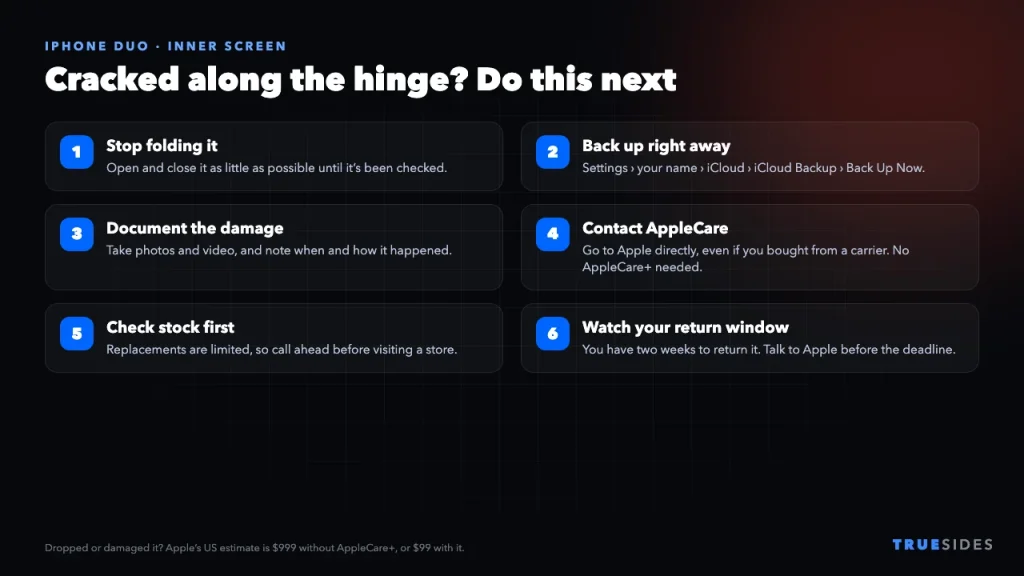
1. Stop folding it if you can
This is our own precaution rather than Apple guidance: avoid opening and closing the phone more than you need to. You may also want to use the outer screen until it’s been looked at.
2. Back up your iPhone now
Do this before anything else gets worse, and before you hand the phone over. Go to Settings > [your name] > iCloud > iCloud Backup and tap Back Up Now, or back up to a computer. Short on space? Our guide to iCloud charges explains the plans.
3. Document the damage
Take clear photos and a short video of the crack, the lines on the screen, and the outside of the phone. Write down when you bought it and what you were doing when it happened. This is especially useful if you didn’t drop the phone, since it helps show the damage wasn’t accidental.
4. Contact AppleCare, not your carrier
9to5Mac reports that you don’t need AppleCare+ for this issue, and that people who bought through a carrier should contact AppleCare directly. Use Apple Support online or by phone, or book an Apple Store appointment. Mention Apple’s October 26 statement if the first person you speak to doesn’t seem aware of it.
5. Ask about stock before you travel
Experiences vary widely. Some owners got a replacement on the spot, while others were told none were available. According to iThinkDiff, Mark Gurman said most people he knows who asked an Apple Store for a swap left without one, and that AppleCare may do better. Call ahead if you can.
6. Watch your return window
MacRumors noted that buyers have two weeks to return the phone, and that hinge failures from normal use should be covered by the one-year warranty. If you’re close to the deadline and would rather get your money back, talk to Apple before it passes.
Will You Have to Pay for It?
That depends on what happened, and Apple makes the final call when it inspects the phone.
|
Situation |
What you’d likely pay |
|
Crack along the hinge from normal use |
$0 under Apple’s replacement offer and warranty |
|
Drop or accidental damage, with AppleCare+ |
$99 |
|
Drop or accidental damage, no AppleCare+ |
$999 |
|
Only the nano-texture cover layer is damaged |
$49, or $19 with AppleCare+ |
That $999 inner display fee is a big number, and Android Authority points out that Samsung charges $419 for the inner screen on the Galaxy Z Fold 8. AppleCare+ with Theft and Loss for the Duo costs $19.99 a month or $199.99 a year, and iThinkDiff notes that it also includes Express Replacement Service, which ships you a replacement so you don’t have to wait for a repair.
Don’t accept a $999 quote too quickly. If your phone cracked along the hinge with no drop or other damage, say so clearly and refer to Apple’s statement. If an agent treats it as accidental damage, ask to escalate the case before you agree to pay.
How to Protect Your iPhone Duo
There’s no proven way to prevent this, and if it’s a manufacturing defect, careful handling may not change anything. Still, these habits make sense on any foldable:
- Check the phone right away. Open and close it gently when it arrives, and pay attention to any catching, grinding, or popping in the hinge while you can still return it.
- Keep the hinge clean. iFixit’s dust test showed fine particles can get into the hinge area, and its report notes that IP ratings don’t seem to cover the hinge mechanism. An IP68 rating doesn’t mean a beach trip is risk-free.
- Don’t force it. If something feels stuck, stop instead of pushing through.
- Never peel the inner screen’s top layer. The cover layer is replaceable, but Apple’s procedure uses specialized fixtures, so this isn’t a home job.
- Think about coverage. With a $999 screen fee, AppleCare+ is easier to justify on the Duo than on most phones.
Should You Still Buy an iPhone Duo?
If you already have one on order, we wouldn’t cancel just because of this. Apple says the affected number is small, the phone is covered, and failures seem to appear early, when you’re still protected. The bigger headache is supply: Apple says it can’t predict when it will meet demand, so a replacement could take time.
If you haven’t ordered yet and you’re nervous, there’s no harm in waiting to see if Apple explains the cause. You could also take a look at Samsung’s option in our iPhone Duo vs Galaxy Z Fold 8 comparison. Having trouble with another new iPhone? See our guide to the iPhone 18 Pro Max stuck in SOS on AT&T.
Final Thoughts
Crackgate is real, but it’s not a reason to panic. Apple has acknowledged it and is replacing affected phones, even without AppleCare+. What’s missing are the cause, a count of affected units, and enough stock to make replacements quick. If yours cracks, back it up, document the damage, and contact AppleCare. We’ll update this article if Apple shares more.